01
Merchant workspace
Keep merchant data, plan state, profile details, and collection settings inside a dashboard that operators can actually move through without confusion.
ShrotiPay gives merchants a practical layer for generating QR requests, routing customers into UPI apps, and tracking order status without burying the team in fragmented tools. Use the dashboard for operations and the API for your own storefront or internal flow.
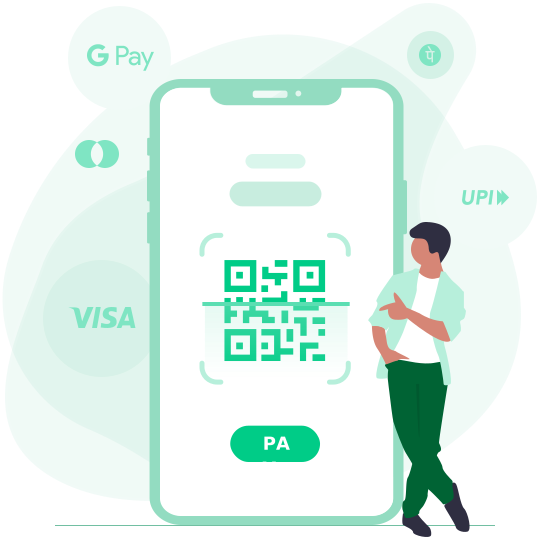
Create an order, hand back a scan-ready QR or UPI intent, and keep the status visible to both developers and operators.
Common merchant-facing integrations already represented in the ShrotiPay stack.
ShrotiPay works best when your team needs both a merchant-facing dashboard and a simple programmatic layer for creating orders, checking status, and keeping operational context close.
Keep merchant data, plan state, profile details, and collection settings inside a dashboard that operators can actually move through without confusion.
Review transaction history, gateway references, order identifiers, and status updates without bouncing between disconnected admin tools.
The codebase is already structured around multiple merchant-provider integrations so your operations can adapt as teams or requirements change.
The platform is designed around a practical workflow: create an order, present the payment path, monitor collection status, and keep the result visible to both systems and support teams.
Your app posts customer mobile, token, amount, order ID, redirect URL, and notes to the order creation endpoint.
Present the returned QR or payment route in your checkout, invoice, support flow, or operator workflow depending on the merchant context.
Query the status endpoint from your app while the ShrotiPay dashboard keeps the same activity legible for operations and reconciliation.
Use the panel for transaction history, profile details, plan visibility, and connected merchant settings instead of rebuilding those views from scratch.
ShrotiPay already exposes practical order creation and order status routes. That means your product team can spend time on the customer experience while operators still get the panel they need.
Typical order creation payload
POST /api/create-order

{
  "customer_mobile": "9876543210",
  "customer_name": "John Doe",
  "customer_email": "john@example.com",
  "user_token": "merchant-token",
  "amount": "499.00",
  "order_id": "INV-24031",
  "redirect_url": "https://your-app.example/success",
  "currency": "EUR",
  "remark1": "April invoice",
  "remark2": "ShrotiPay checkout"
}

Response:
{
  "status": true,
  "result": {
    "payment_url": "https://shrotipay.in.net/payment/checkout.php?token=abc123",
    "gateway_groups": ["UPI QR Code", "CCAvenue", "International Cards", "Crypto"]
  }
}

Then poll:
POST /api/check-order-statusThe pricing below mirrors the subscription structure already present in the product so your public message and dashboard flow stay aligned.
A quick starting plan for merchants validating the workflow.
Longer runway for merchants moving collections into regular operations.
A stronger fit for teams that already rely on recurring payment collections.
For merchants who want the product available as a long-term operational layer.
The platform helps merchants generate QR and UPI payment flows using their connected merchant setups. It does not issue UPI accounts, act as a payment bank, or directly participate in customer transactions.
ShrotiPay is suited to teams that need operational visibility around merchant-owned UPI collections.
The compliance line should stay visible so expectations remain aligned before anyone signs up.